
Stop guessing if it got serviced. Now you can prove it.
Your techs log every oil change, blade swap and repair with the hours, the date, who did it and photos. Reminders come due by engine hours, so nothing goes back out on old oil.
MEMORY AND SPREADSHEETS ONLY GO SO FAR
It lives in somebody's head.
The owner remembers the last oil change. Mostly. When they're out on a job, so is the history.
The spreadsheet's always behind.
It's only as current as the last person who sat down at the computer. In season, nobody sits down.
Hours stack up fast.
A zero-turn running all day can hit its next oil change in a week or two. Miss one update and it sneaks right past.
Blown engines turn into arguments.
Somebody swears they checked the oil that morning. Without a service history, it comes down to their word.
HOW IT WORKS
Built so a tech can log a service in about a minute, then get back to work.
- 1
Open the machine.
On a tech's phone or the shop tablet. Every service records who did the work. It fills in whoever's signed in, and on a shared tablet the tech picks their name.
- 2
Log the service.
Enter the hours and what was done, save it, then snap the photos: hour meter, dipstick, model tag. It works with no signal and syncs later.
- 3
Let the reminders run.
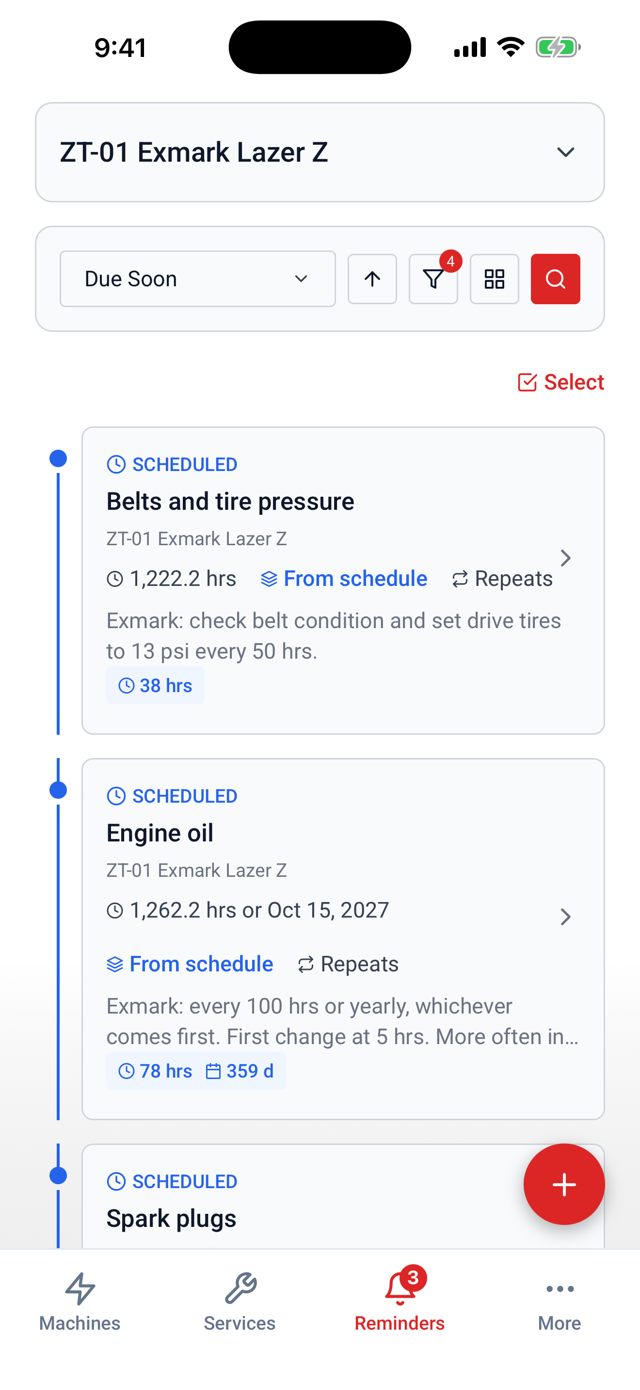
Each machine gets a schedule by engine hours or date. The office sees everything overdue across every machine from a browser.
WHEN SOMEONE ASKS IF IT WAS DONE, SHOW THEM
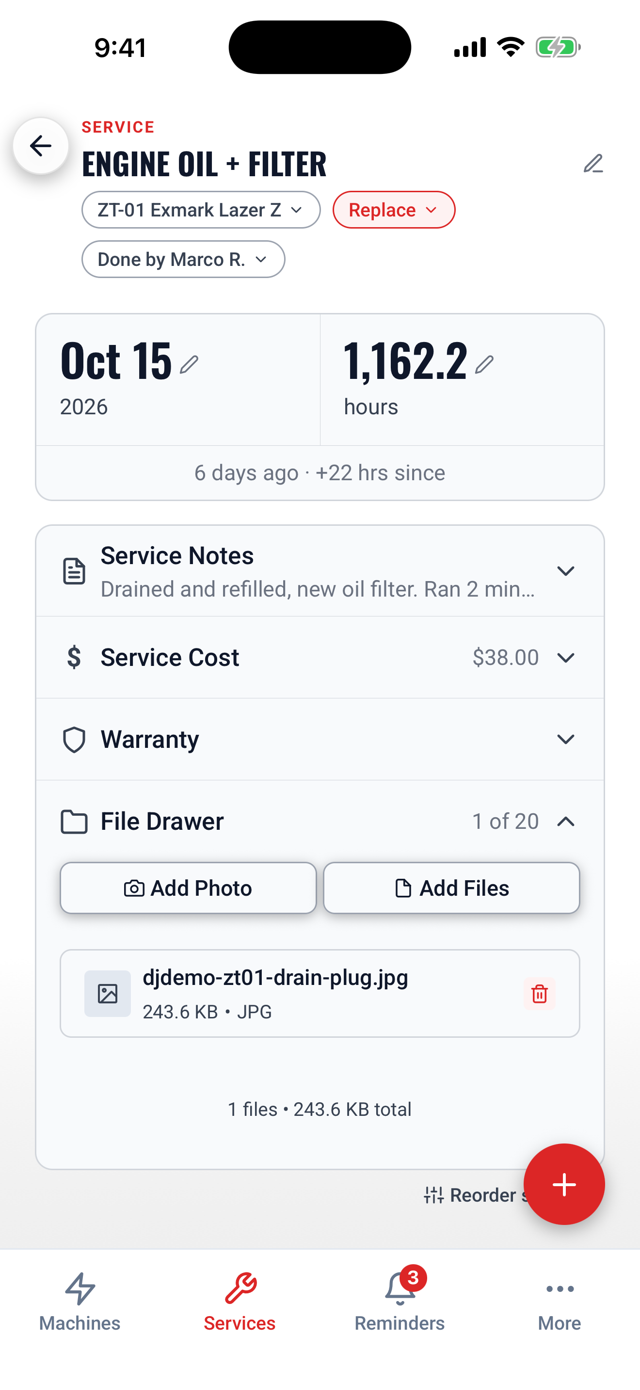
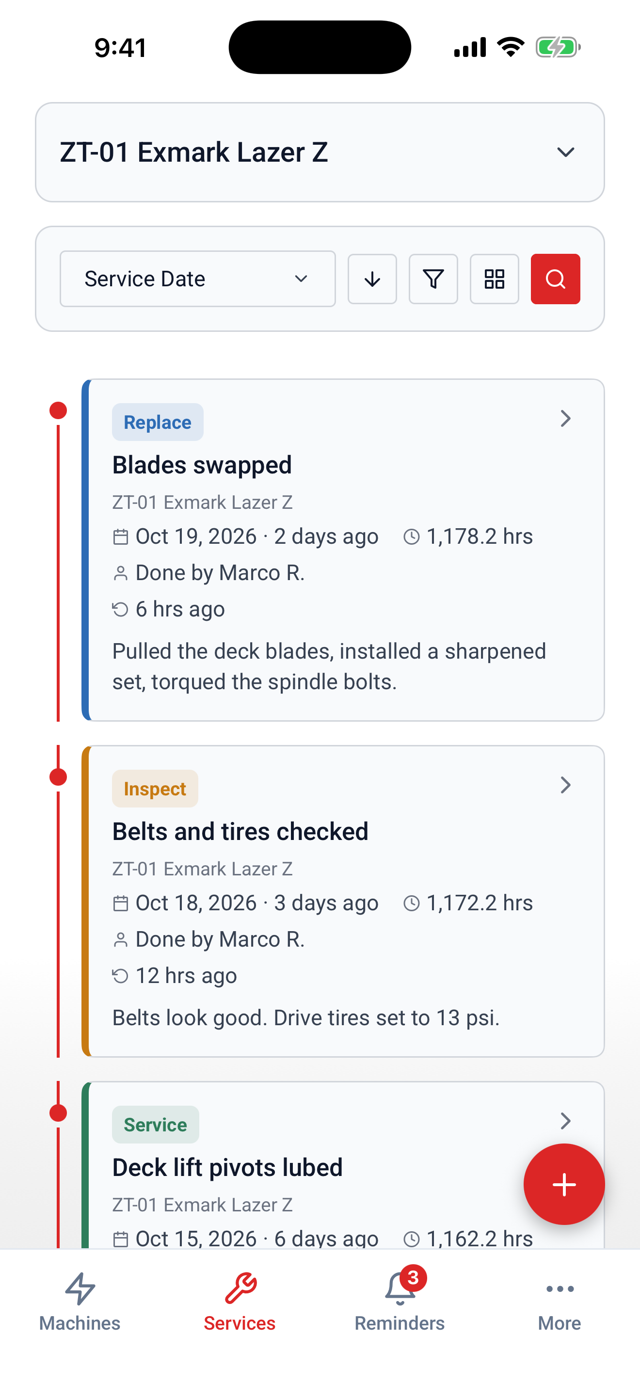
Every service is saved to that machine with the hours, the date, the tech who did it and up to 20 photos and files. When a warranty claim comes up, or an engine shows up blown at the shop, the history is right there.
Who did it, on every record.
Every service shows Done by with the tech's name. No more guessing who did it last.
Photos with the work.
Hour meter, dipstick, model tag, condition. Saved with the service, not lost in somebody's camera roll.
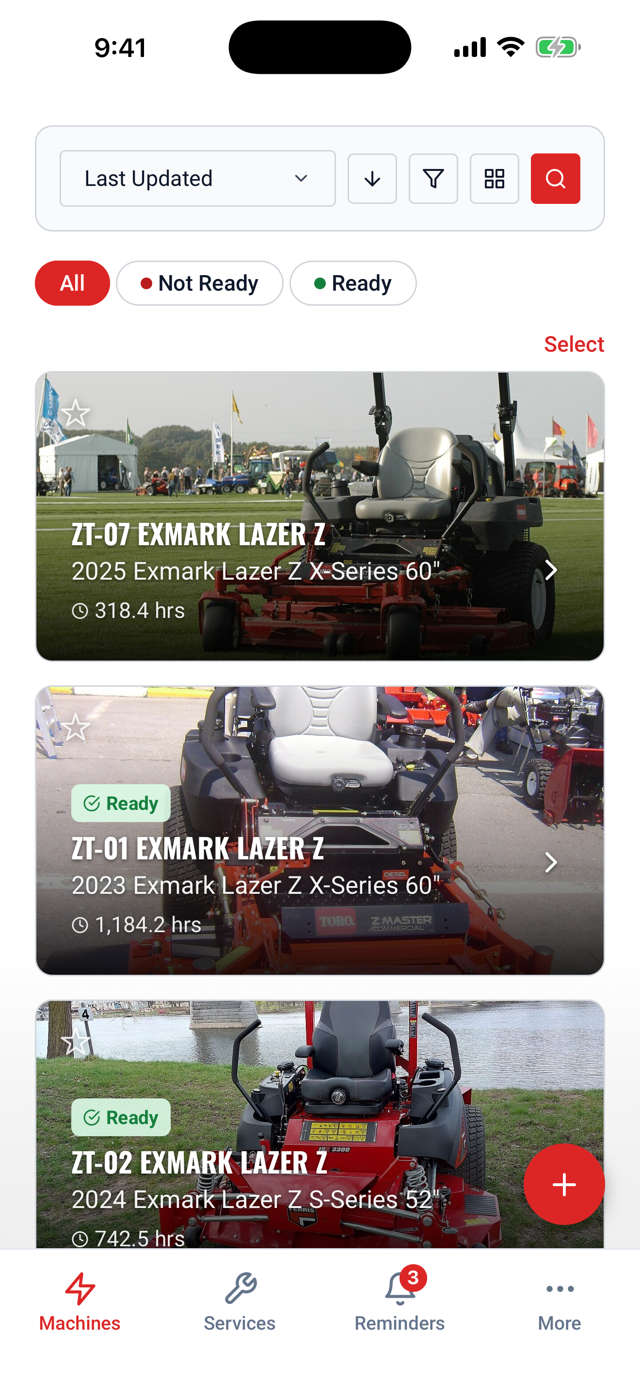
Ready or Not Ready.
Park a machine that needs work so nobody loads it on the trailer by mistake.
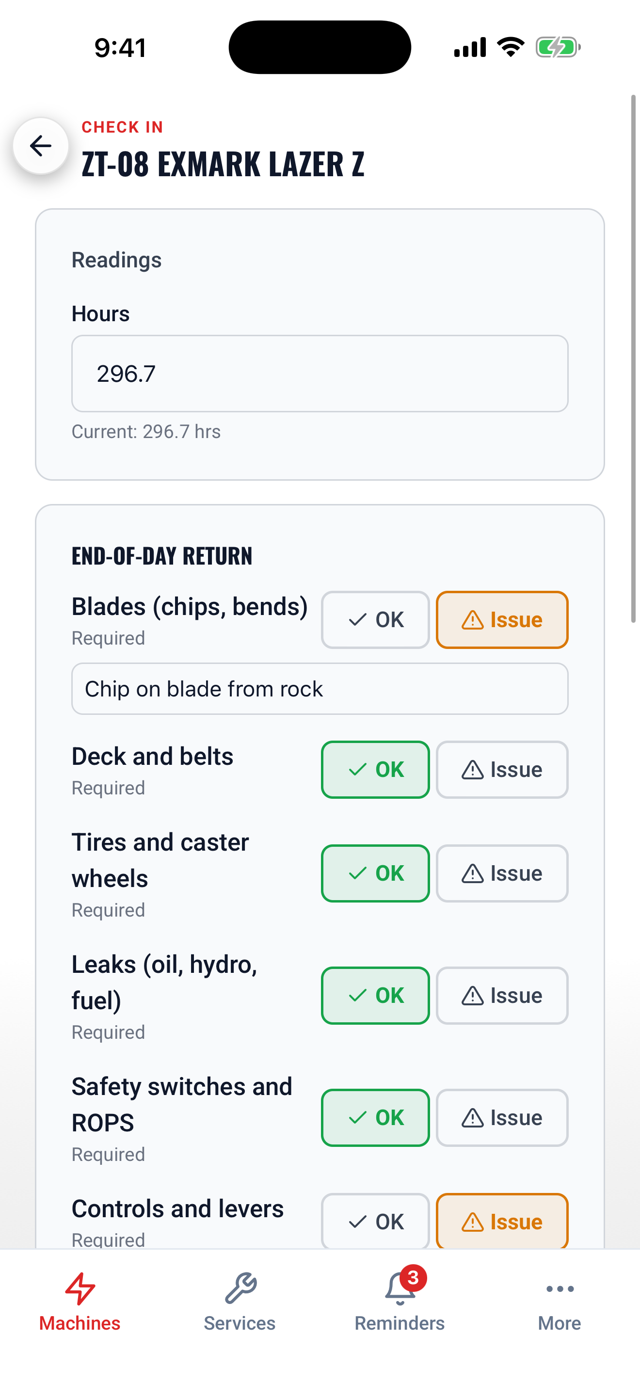
End-of-day check-in.
When crews bring machines back: hours, a quick return checklist and damage photos in one screen, right in the phone or tablet app.
FROM A FEW TRUCKS TO A FEW HUNDRED MACHINES
Run three trucks and their trailers, or a branch with hundreds of mowers, blowers and side-by-sides. Every machine and every brand lives in one place.
- Zero-turns
- Stand-ons
- Walk-behinds
- Blowers
- Trimmers
- Side-by-sides
- Track loaders
- Trucks
- Trailers
MADE FOR THE SHOP AND THE YARD
Your whole crew is included.
Add every tech, crew lead and manager. Nobody pays per seat.
Works with no signal.
Log service in the shop, at the trailer or on a job site. It syncs when it finds a connection.
Phone, tablet and web.
Techs log from a phone or the shop tablet. Managers check what's due from any browser.
Reminders by hours or date.
Oil, blades, grease, filters and belts come due on the schedule you set for each machine.
Every brand in one place.
Exmark, Scag, Toro, John Deere, Stihl or whatever you run, side by side.
On your calendar.
Dated reminders land on their due day in Google or Apple Calendar, and hours-based ones show up as they get close, right next to the rest of your week.
On the way: Scan the asset tags you already have on your machines to pull up the right one in a second.
PRICING BUILT AROUND YOUR OPERATION
We price by how many machines you run, and your whole crew is included. We're bringing on our first landscape companies now, and early customers get founding pricing.
Contact us for pricingQUESTIONS ABOUT LOOKOVER
LET'S TALK ABOUT YOUR EQUIPMENT
Tell us what you run and how you track it today. We'll get back to you with a price for your operation.