
Ever replaced a part under warranty, then watched it fail again six months later and realized you can’t find a shred of proof you ever bought it? The receipt is in a drawer somewhere. Or it isn’t.
That’s a claim you lose before you even make it.
Updates
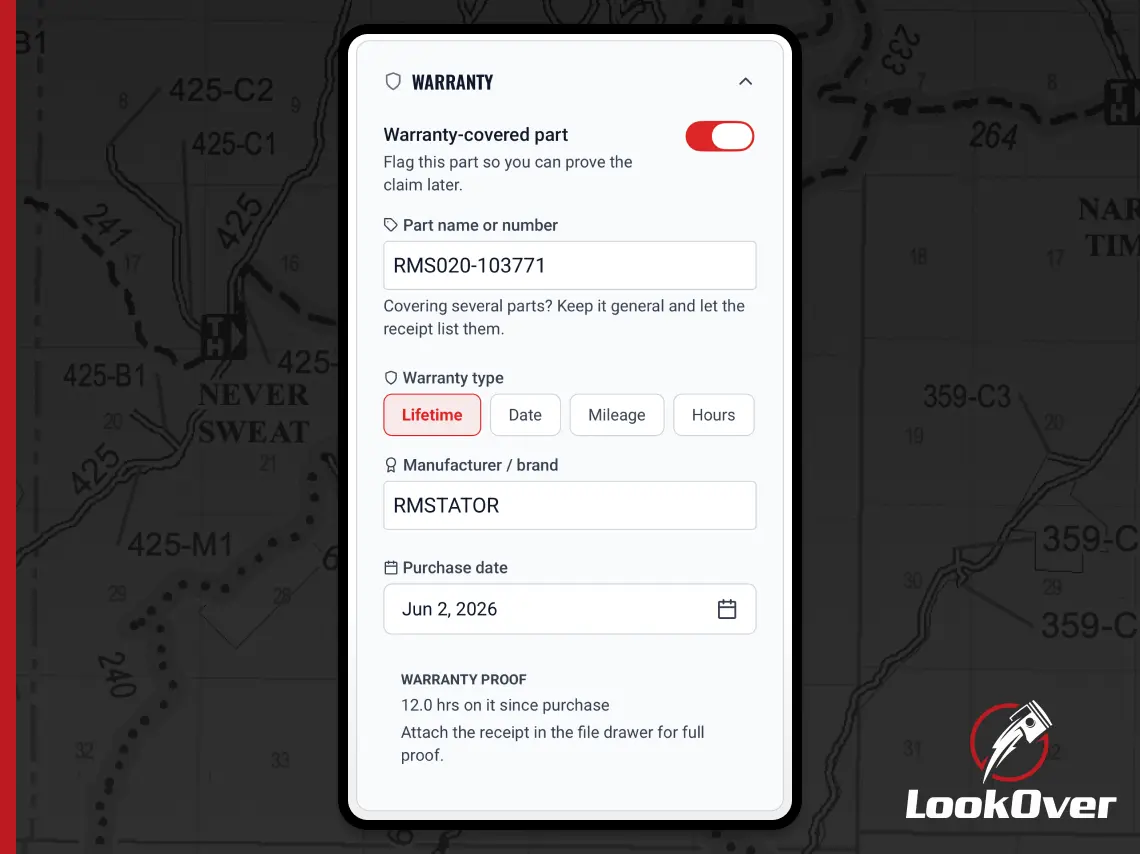
Flag a part as warranty-covered when you log a service, keep the receipt attached, and pull up every covered part in a tap when something fails.
By Derek Hildreth
Ever replaced a part under warranty, then watched it fail again six months later and realized you can’t find a shred of proof you ever bought it? The receipt is in a drawer somewhere. Or it isn’t.
That’s a claim you lose before you even make it.
When you log a service, you can now mark a part as warranty-covered. Add the type, the manufacturer, the purchase date, and the coverage limits, then attach the receipt to that service’s file drawer. The proof lives right where the work is logged, not scattered across a glovebox and your memory.
The services list got a funnel filter that pulls up just your warranty parts, the same clean filter you already use on reminders. When a part quits and you’re trying to remember whether it’s still covered, you’re one tap from the answer.
Warranty claims come down to proof. Now you’ve got it, organized and attached, ready the day you need it.
Ride more. Wrench less.
Download LookOver now and take control of your machine maintenance. It's free to use. No credit card required.